Your home, in your hands.
Plan it, build it, renovate it, furnish it, host in it. Start from a listing screenshot, a floor plan, a sketch or one sentence: Darplan builds your home in 3D and changes it when you ask, with every piece at its real size.
Free while we test. Android is in closed test; iPhone comes later.

How it works
-
Give it what you have
No drawing skills needed. Darplan sorts what you drop in and reads it.
- A listing screenshotZillow, Realtor.ca, or any rental ad
- A floor plana photo, a scan or a PDF
- A hand sketchwith the sizes you wrote on it
- One sentence“3 bedrooms, 95 m², living room facing south”
-
See it stand up in 3D
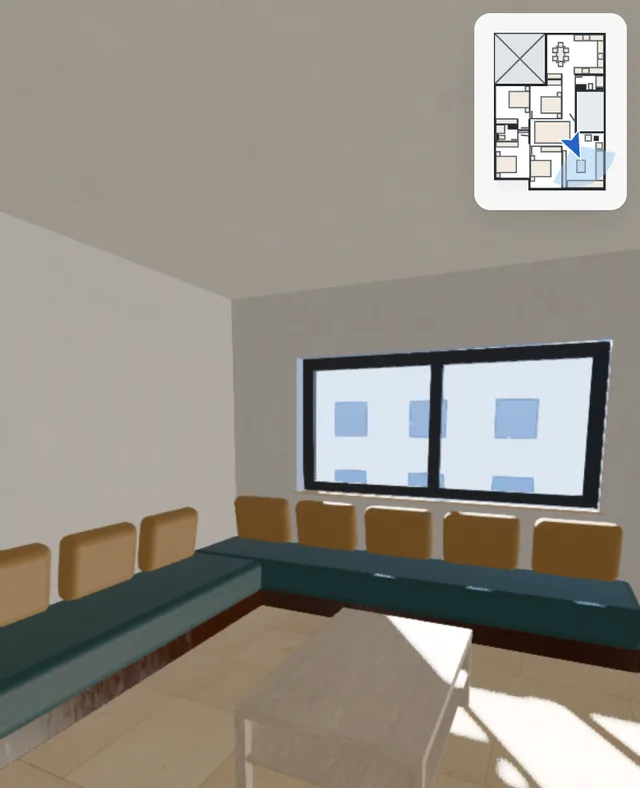
Rooms appear as they are read, with their names and areas. Then walk through at eye level, on your phone or your laptop.

-
Furnished for your family, checked to fit
Say who lives there and your budget. Darplan places real pieces at their real size and keeps room to walk around them.
One app for the whole life of your home
Before you buy, while you build, and years after you move in. Type what you want in plain words; Darplan does it on your plan and shows what changed.
-
Change a wall
You type
make the living room bigger
The wall slides while you watch. You see each room’s area before and after, and one tap undoes it. Walls marked as structure stay locked, and Darplan tells you why.
-
Furnish a room under a budget
You type
furnish the kids’ room, 2 kids, the cheapest
You get three layouts: the cheapest, the most open floor, and a balance of both, each with a price range and the date it was checked. Prices follow your home: US or Canadian dollars on a home in the US or Canada, dirhams on the example home.
-
Host 20 guests
You type
Thanksgiving, 20 guests
Darplan counts the seats in your living room, says how many are missing and what to add, and keeps a way through the room.
-
Check a sofa fits
You type
a 3-seat sofa in the living room
A real store piece goes in at its real size, from its spec sheet. You see the space left to walk around it and, if it is too big, by how much.
Prices come from real stores and carry the date they were checked. In the US and Canada: IKEA and Article today, more stores later.
A short tour
A 60-second video of the example home is on its way. Until then, open the example home yourself: it is the same one.
Open the example home Video coming soon
Numbers you can check
- True-size fit
- Every piece goes in at its real width, depth and height, with walking space checked around it. If your sofa does not fit, you see it on screen, not in your hallway.
- Budget optimizer
- Give a budget and who lives with you. You get three layouts: the cheapest, the most open floor, and a balance of both, each with a dated price range.
- Honest labels
- Each size says where it comes from: measured, estimate or guess. Sizes read from a photo stay ranges until you measure one wall. If a change did not happen, Darplan says so.

Try it now
The browser version needs no account. The Android app is in a closed test: join it and you get every update first.
Questions
Is it free?
Yes, while we test. There is no card to enter. If paid plans come later, this page will say so first, before anything changes for you.
Where do my plans and photos go?
They are used to build your home and nothing else. They are not public, not sold and not used for ads. To read a plan or a photo, the image is sent to our AI provider, Anthropic, through its paid API. You can ask us to delete everything at any time. Read the privacy policy.
How long does it take?
A sentence or a sketch gives a first 3D home in seconds. A full floor plan takes a few minutes to read today; rooms appear one by one while you wait.
Does it work in the US and Canada?
Yes, they are our first markets, in English and French. The US and Canada catalog has IKEA and Article pieces with dated prices in US or Canadian dollars; more stores come later.
Is there an iPhone app?
Not yet. Android comes first. On an iPhone, use the browser version.