Features
From what you have to a home you can walk, change and furnish.
Five steps, one home. Every picture on this page is the app today, on the example home: a real plan, made anonymous, that you can open yourself.

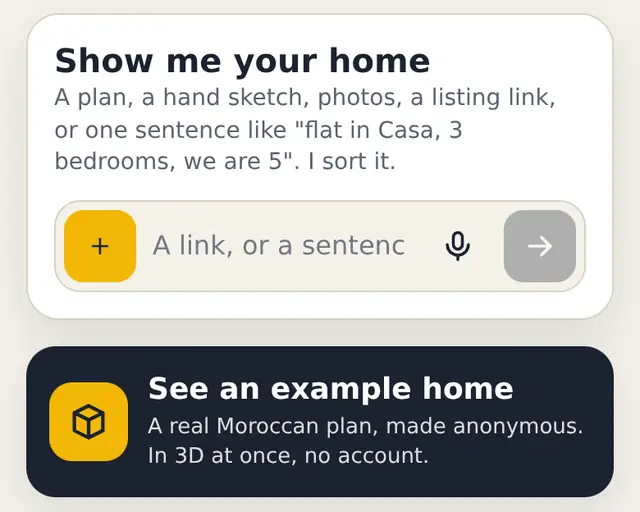
Any input becomes a home in 3D
Drop what you have in one bar: a listing screenshot, a floor plan (photo, scan or PDF), a hand sketch with the sizes you wrote, or one sentence. Darplan sorts it and reads it.
- A sentence or a sketch gives a first 3D home in seconds.
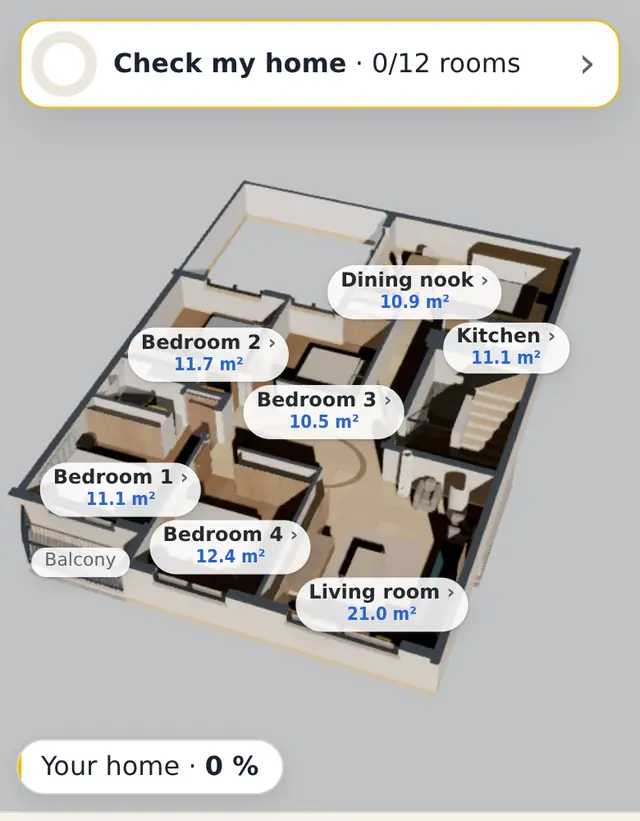
- A full floor plan takes a few minutes to read today; rooms appear one by one, with their names and areas.
- If it cannot read something, it says so. It never shows a made-up house as yours.
Walk through it at eye level
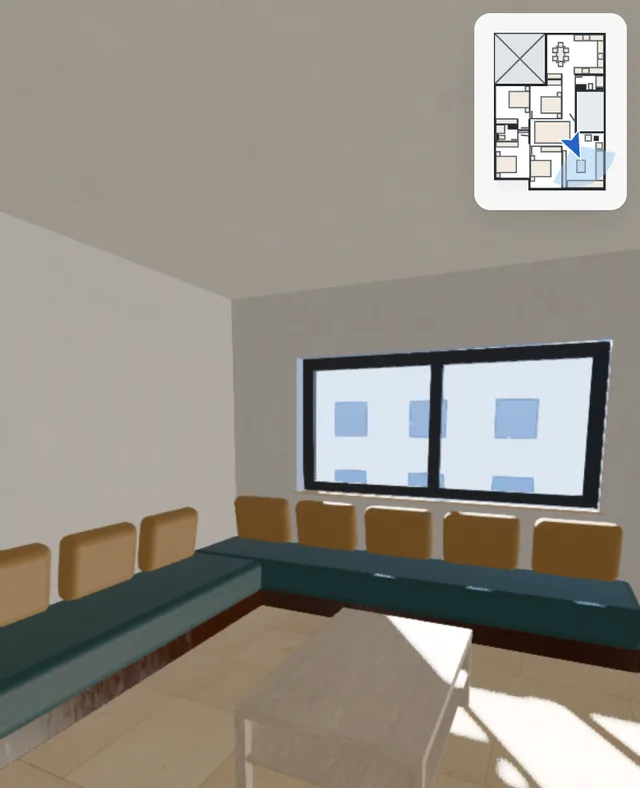
Switch to Walk and you are in the hall. Tap where you want to go, drag to look around. On a phone, move the phone to look. A small map shows where you stand.
- Sun and shadows for any day and any hour, through your own windows.
- The same home on the phone, the laptop and the Android app.
Change it by chat, with honest checks
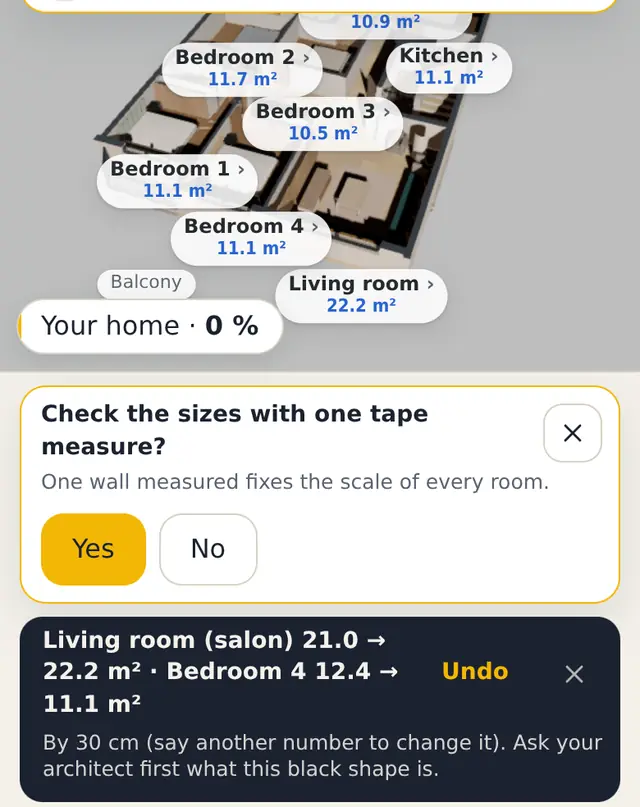
Type what you want in plain words. The change happens on the plan while you watch, and one tap undoes it.
You typemake the living room bigger
- The reply is written from what really changed on the plan, not from what the AI says: here the living room goes from 21.0 to 22.2 m² and Bedroom 4 from 12.4 to 11.1 m².
- If nothing moved, it says “Nothing moved” and why, then offers what it can do.
- Walls, columns and stairs marked as structure stay locked, with the reason. A shared stair gets an every-floor note.
- Before you build, your architect or engineer confirms. Darplan flags, it does not sign.
Furnish it for your family and your budget
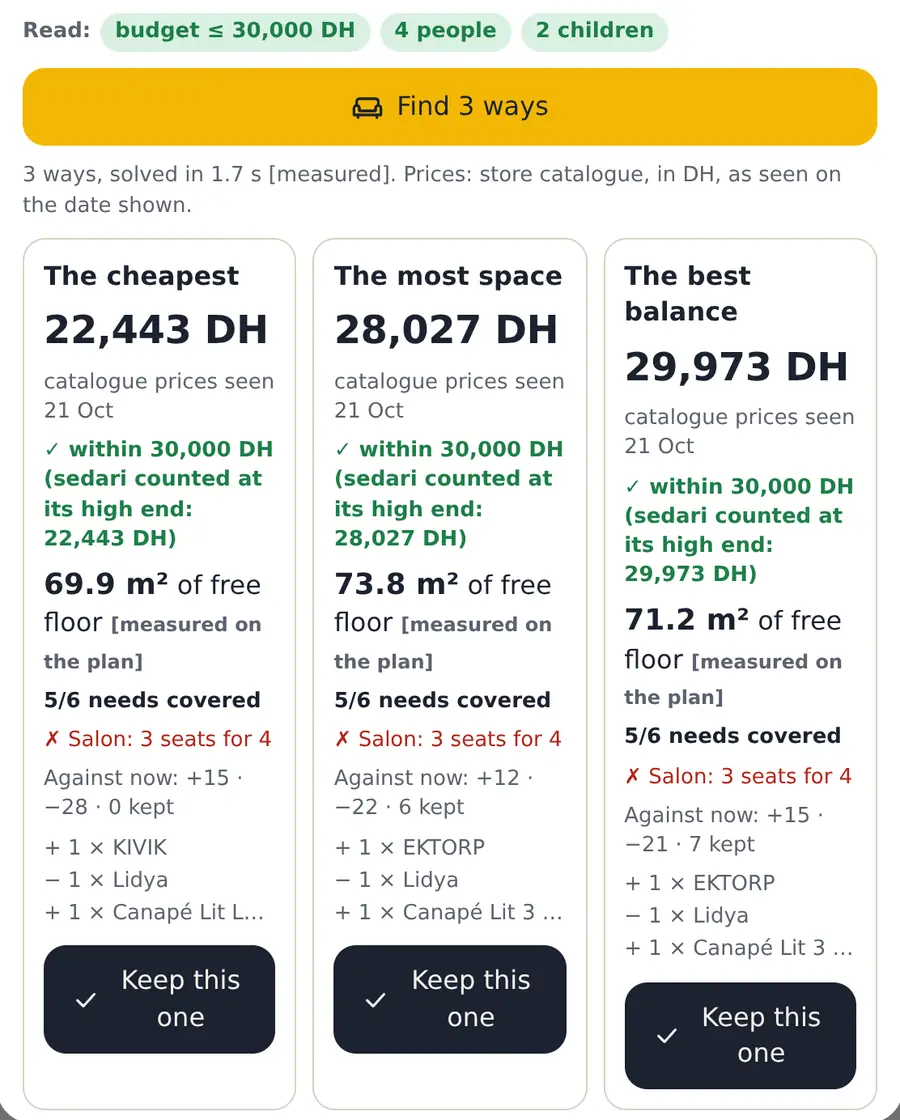
Write what counts: a budget, who lives there, what you keep, what you do not want. The optimizer places real store pieces and gives you three ways in a few seconds.
You typebudget 30 000 DH, we are 4 with 2 children
- The cheapest, the most space, and the best balance, each with its total and the date the prices were seen.
- The free floor left, measured on the plan, and what is still missing (here: 3 seats for 4 people).
- Prices follow your home: US or Canadian dollars in the US and Canada (IKEA and Article pieces), dirhams on the example home.
- Keep one, and one tap undoes it.
Check that a piece fits before you buy it
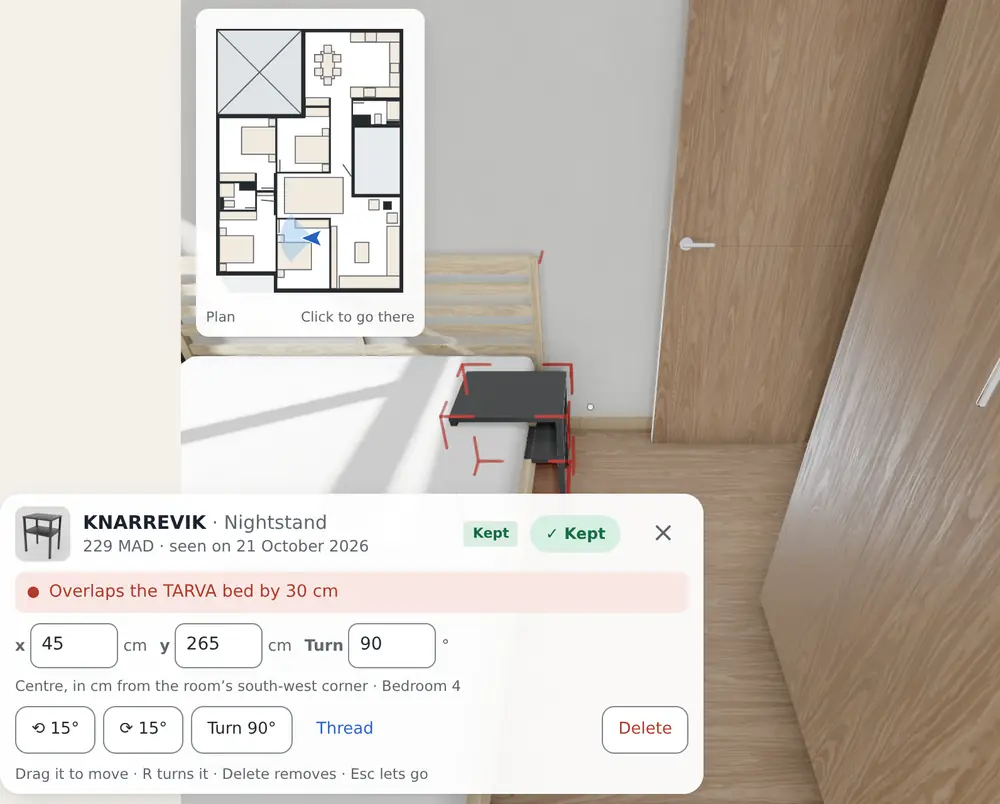
Store pieces go in at the size on their spec sheet. Move one, by dragging it or by typing x and y in cm, and the check answers at once.
- It overlaps another piece, and by how much.
- A door can no longer swing open.
- Less than 60 cm (2 ft) is left to walk.
It checks the room, not the way in: measure your doors and stairs yourself. How to check a sofa before you buy.
The meter: how much of your home is checked
“Your home · 0 %” moves only on what is checked: a room you confirmed in the guided walk, a wall you measured with a tape, a fact you said. Never on a guess. Tap it to see what is missing for 100 %.
- Every size carries its label: [measured], [estimate] or [guess].
- Sizes read from a photo stay ranges until you measure one wall.
- “Check my home” walks you through each room: yes, adjust, or later.
![The meter sheet: Your home 0 %, width 10.70 m ±3.21 marked [guess], and what is missing for 100 %: check each room in the guided walk, +50.](/assets/img/feat-meter-en.webp?v=c395fae4)
Not yet
- No iPhone app yet: on an iPhone, use the browser version.
- No account to find your homes on another device yet.
- No measuring with the camera yet: one tape measure does it.
- Some screens still show m² on a home in feet.
Open the example home
No account, nothing to install. It opens in 3D at once.